
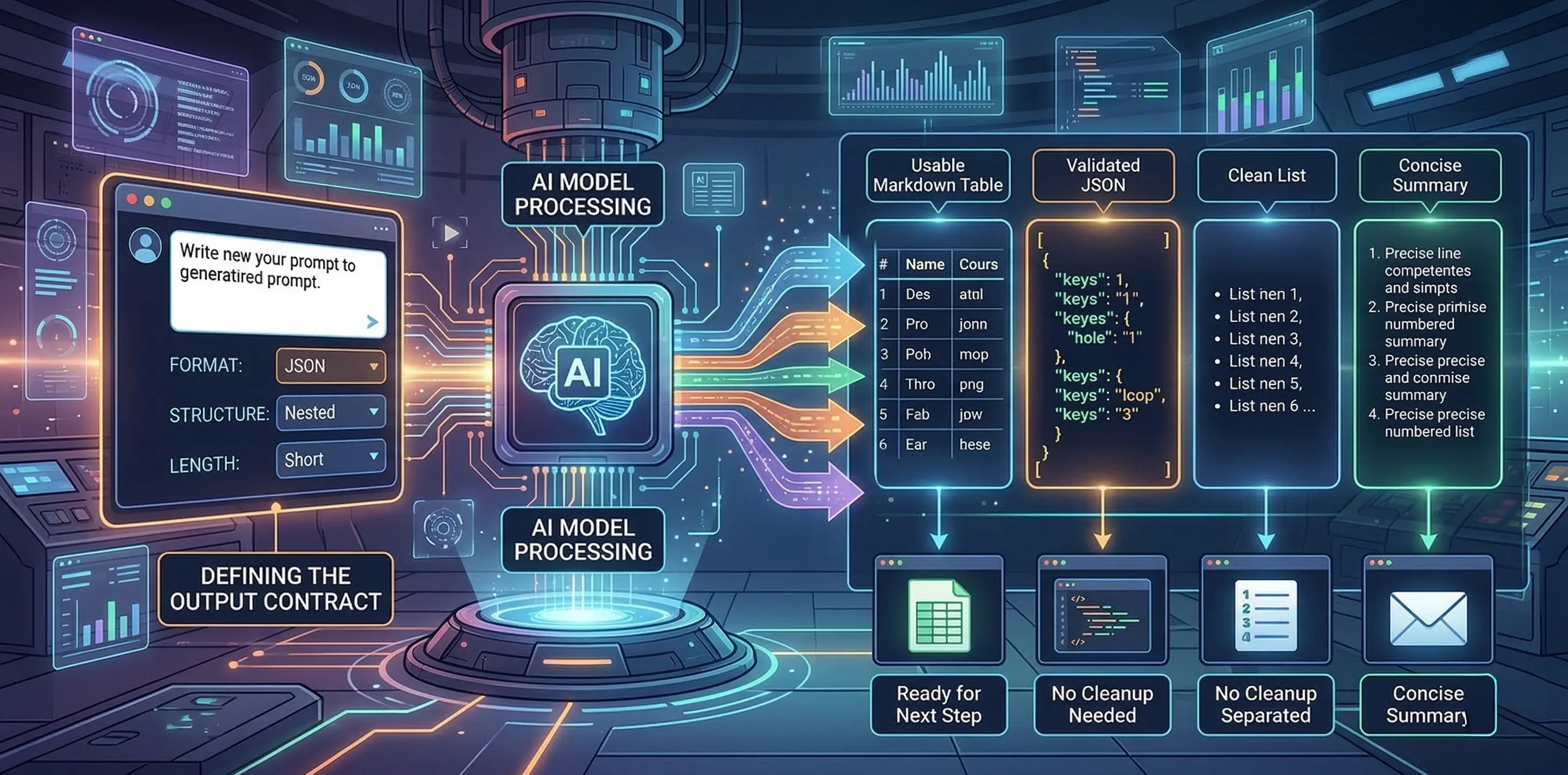
This is a follow-up to our previous article on The Direction Stack, where we broke down the first principle of prompt engineering: giving the AI clear direction. Today we're tackling the second principle: shaping the output.
Here's a situation that comes up constantly. You ask AI for something, it gives you a decent answer, and then you spend the next ten minutes reformatting it so you can actually use it. Maybe you needed a table and got a wall of text. Maybe you needed three bullet points and got twelve paragraphs. The content was fine. The packaging was wrong. And that mismatch between what the AI says and how it says it is one of the biggest hidden time sinks in working with these tools.
Shaping the output is about fixing that problem before it starts. You tell the AI exactly what structure you want, and it delivers something you can drop straight into your workflow without cleanup.
Why format matters more than you think
Most people focus on what they ask AI to do and completely ignore how they want it delivered. That's like ordering furniture online and not checking whether it ships assembled or in 200 pieces. The end result might be the same, but one of those options costs you an entire Saturday.
When you leave the format open, the AI defaults to whatever feels natural for the model, which is usually a big block of conversational text. That's fine if you're just brainstorming. But the moment your AI output needs to go somewhere else, into a document, a spreadsheet, a codebase, a design brief, or even just a Slack message, format becomes the whole game. A response that's technically correct but structurally wrong is a response you have to redo.
The fix is simple: treat format as part of the prompt, not an afterthought. Define what you want the response to look like before the AI starts generating it.
The output contract
Think of it like a contract between you and the AI. You're not just saying "give me product names." You're saying "give me five product names as a comma-separated list, no descriptions, no numbering." That tiny addition changes everything, because now the AI knows the shape of the answer, not just the topic.
Here's a real example. Say you're building a product name generator and you need it to return names you can plug directly into a UI. A vague prompt like "give me some product names for a shoe that fits any foot size" will return a numbered list with descriptions, maybe a paragraph of explanation you didn't ask for, and formatting that varies every time you run it.
A shaped prompt looks more like this: "Generate three product names for a shoe that fits any foot size. Return them as a comma-separated list with no descriptions or commentary." Now you get back `FlexForm, AdaptStep, OneSize` and you can parse that, display it, or pass it to the next step in your workflow without touching it.
This is what people in the engineering world are starting to call an "output contract," and it's one of the most important habits you can build. You're defining what "done" looks like structurally, not just topically. The format options are wide open: numbered lists, bullet points, JSON, YAML, markdown tables, CSV, even specific heading structures. Whatever your next step needs, that's the format you specify.
And here's the thing, the response to a prompt usually isn't the end of the task. It's the input for the next step, which might be another prompt, a handoff to a teammate, or something displayed in a product. When you think about format that way, as the bridge between what AI generates and what you actually do with it, it stops feeling like a nice-to-have and starts feeling essential.
Format for images works the same way
This principle isn't limited to text. If you've worked with image generation tools like Midjourney or Stable Diffusion, you've probably noticed that the same prompt can come back as a product photo, a diagram, a painting, or something in between. That's a format problem.
When you prompt for an image without specifying the visual format, the model picks whatever style it associates most strongly with your words. Ask for "a shoe that fits any foot size" and you might get a technical diagram one time and a watercolor painting the next. Neither is wrong, but if you needed product photography for your website, both are useless.
The fix is the same as with text: define the visual format as part of the prompt. Adding something like "product photography, studio lighting, extremely detailed, 35mm DSLR" to your image prompt constrains the output into a consistent visual style. Now every generation looks like it belongs in the same product catalog instead of coming from five different art schools.
You can push this further depending on what you need. Swap "product photography" for "editorial model shoot" and you get lifestyle imagery. Change it to "street style" and the whole vibe shifts, including the design of the shoe itself. The format isn't just wrapping paper, it actively shapes the content. That's worth remembering, because it means format and direction (the first principle) work together. Getting them aligned is where the real consistency comes from.
One thing to watch for with images: format and style can clash. If you tell the model you want "product photography" but also "in the style of a watercolor painting," you're giving it conflicting instructions and the results will be unpredictable. Keep your format and style pulling in the same direction and you'll get much more reliable output.
Making it stick
Here are the habits that make this principle actually useful day to day.
Name the format explicitly. Don't assume the AI will figure out you wanted JSON. Say "return as JSON" or "format as a markdown table with columns for Name, Description, and Price." The more specific you are about the container, the less cleanup you do later.
Match the format to the next step. If the output is going into a slide deck, ask for short bullets. If it's going into code, ask for JSON or YAML. If it's going into a client email, ask for two short paragraphs with a professional tone. Think about where this thing lands and work backward from there.
Constrain the length. Format isn't just about structure, it's about size. "Give me a one-sentence summary" is a format instruction. So is "keep each bullet under 15 words." Length constraints prevent the AI from over-generating, which is one of its most common habits.
Test for format compliance. This is especially important if you're running prompts at scale or building them into a product. Run the prompt ten times. Does the format hold every time? If you asked for JSON, does it always return valid JSON, or does it sometimes sneak in a sentence before the opening bracket? If you're working in code, you can validate this programmatically. If you're working manually, just eyeball a handful of runs and look for drift.
Combine with examples. Format instructions and examples are best friends. If you tell the AI "return a comma-separated list" and show it one, the compliance rate goes way up. We'll dig into this more in the next article, but it's worth noting here: when format really matters, show don't just tell.
The bottom line
Shaping the output is the fastest way to make AI responses actually usable. Direction tells the AI what to think about. Format tells it how to deliver. Get both right and you stop spending time cleaning up AI output and start spending time on the work that matters.
In the next article, we'll cover the third principle: teaching by example, and why showing the AI what you want is often more powerful than telling it.